What you will achieve
You will create a harness from one approved repository folder or bounded document set, lock its source list, complete Scan sources → Extract → Synthesize, build the graph, read the Review counts, and verify one cited answer.
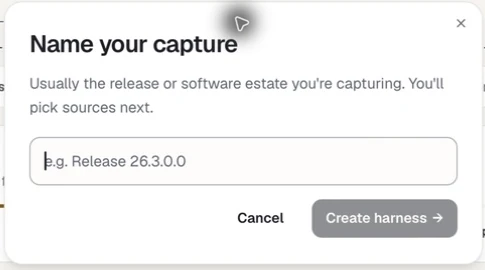
Name the harness for the source, purpose, and point in time it represents. The dialog still uses *capture* in its heading while the primary action uses the current *harness* term.
Before you begin
- MSOCK desktop is installed and you can open the target workspace.
- Your account has the SOCK Creator or SOCK Knowledge Custodian role.
- Workspace setup is complete, so the SOCK tile is unlocked.
- You have permission to copy and process the selected source.
- You have agreed whether the source may be processed by the configured AI model service.
- You know two or three questions the source should be able to answer.
Build the harness
- 01
Open SOCK
From MSOCK Studio, open the SOCK tile. If it is missing or dimmed, check that you are in the desktop application and that workspace setup has finished.
- 02
Create a named harness
Choose New harness, enter a name, and choose Create harness. Use a name that records source, purpose, and time, such as
payments-service-onboarding-september-2026rather thantest. Names must be unique within the workspace. - 03
Add one approved source
On the Sources destination, choose Add source. Pick Local Repositories for a folder or repository, Knowledge Artifacts for documents, Connect System for an approved read-only PostgreSQL, MongoDB, or Oracle connection, or Add Tacit Knowledge for an attributed note. For this tutorial, avoid sensitive database samples and large multi-source scopes.
- 04
Review the evidence boundary
Confirm the source, revision or path, and anything you intentionally left out. This is your last opportunity to correct the source set.
- 05
Lock the source list
Choose Lock source list and confirm. MSOCK copies or exports the evidence, fingerprints it, and writes verification records. This cannot be undone.
- 06
Start the scan
Choose Start scan. The Scan sources tab builds the source registry, inventory, technology signals, and coverage boundary, then analyses the extraction order.
- 07
Approve the extraction order
When the analysis completes, move to the Extract tab and read the proposed order. Choose Approve the order when it looks right.
- 08
Extract
Choose Extract all to run the whole queue, or run tasks individually. Allow deterministic extraction and AI-assisted comprehension to finish. Treat any warnings or gaps as part of the result.
- 09
Preview one extracted task
Choose Preview on a completed task. Open its README, Evidence, or Known Unknowns file and confirm that facts link to citations and keep an evidence tier.
- 10
Synthesize
Continue to the Synthesize tab. Review the discovered items grouped by dimension and lens, then let the inference pass derive deeper candidates. A dimension with zero items is a valid result, not an error.
- 11
Build the graph
Open the Graph destination and choose Build graph. Watch it identify entities, classify them, write capability summaries, map and verify relationships, and run final checks. You can pause and resume without losing progress.
- 12
Read the Review counts
Open Review. The ten tiles run from what SOCK read, through what the graph holds, to what counts as consumption — ending in the billable CKU figure.
- 13
Ask a question
Switch to the Ask tab and ask one pre-agreed, bounded question such as "Which external interfaces are declared?" or "Where is retry behaviour configured?"
- 14
Inspect a citation
Open at least one cited source and check that it supports the answer. The citation is part of the answer, not optional decoration.
The dimensions Synthesize reviews
Synthesize evaluates the harness against 21 authored dimensions and can also name a discovered item that falls outside them. Two dimensions — interface-mappings and legacy-estate-map — fire only when legacy evidence is present.
For the full catalogue, each dimension's knowledge focus, and its lens, see core concepts. For the review question behind each identifier, see the reference glossary.
Verify the result
- The source list shows as locked and cannot be edited.
- Scan sources, Extract, and Synthesize show durable completion, or a clearly named recoverable blocker.
- The harness reads Completed and verified rather than Not verified.
- At least one generated artefact can be previewed and its facts trace to citations, evidence tiers, and status.
- The graph is committed and the Review tiles show non-zero qualified nodes and relationships.
- Ask cites captured evidence for a supported answer.
- A question outside the supplied evidence returns a scope limit or Known Unknown rather than invented certainty.
Next steps
Explore the graph and the counts
Understand the connected estate, the ten Review tiles, and how CKU consumption is calculated.
Read nextShare the result
Give the knowledge a version, publish it to your team, and understand what cannot be undone.
Read nextLearn the evidence model
Understand source access modes, credentials, AI processing, and evidence tiers.
Read nextConnect a database
Review database versions, bounded row reads, sampling risk, and the connector workflow in [connectors and integrations](/connectors).
Read next