Where Jira is available
| Context | Availability | Direction |
|---|---|---|
| SOCK source | Not available | Jira cannot be added to a harness |
| SOCI Cockpit lifecycle commands | Available | Read and write the work items used by the lifecycle |
| SOCM Command Center | Available | One-way read-only context from Jira into MSOCK |
| Settings → Connections | Available | Connect, reconnect, or disconnect your member identity |
Connect your identity
For Jira Cloud, provide:
- the Jira domain, such as
company.atlassian.net; - the email address used for that Atlassian tenant; and
- an Atlassian API token.
MSOCK validates the credential by requesting the current Jira identity. The Jira email does not need to match the MSOCK sign-in email because a member may use a different identity in an Atlassian tenant.
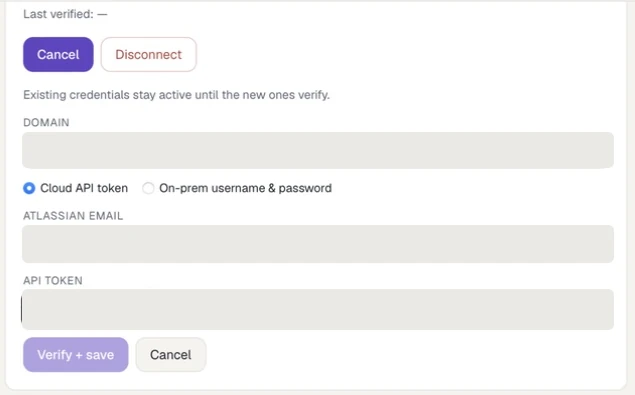
Choose **Cloud API token** for Jira Cloud. Every credential value in this documentation capture has been irreversibly masked.
For Jira on-premises, choose On-prem username & password, then provide the server address and the username and password accepted by that deployment.
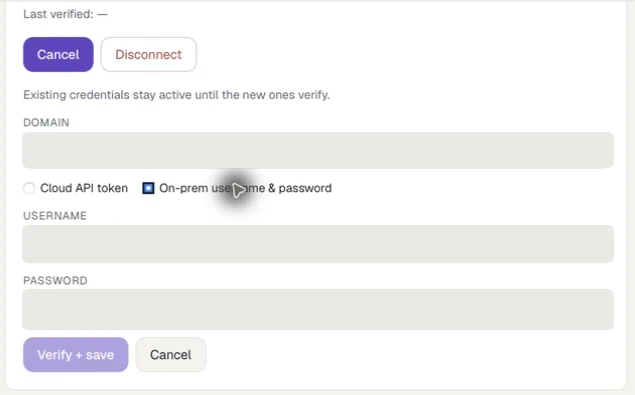
The on-premises mode changes the identity fields while keeping the same verify-and-save step. Every credential value is masked.
The secret is stored in the operating-system credential store. SOCI Cockpit passes the member's Jira connection details to the member's own terminal-backed lifecycle session. The backend does not retain a shared Jira service credential.
Behaviour by product area
In SOCI Cockpit, lifecycle commands can read and update the epics and stories they operate on. In SOCM Command Center, the desktop application reads one Jira work item with the signed-in member's credential and sends that context into MSOCK. Manual SOCM refreshes are limited to one successful refresh every 30 seconds.
The SOCK Assistant is isolated from Jira credentials; its session does not inherit them.
Troubleshooting
| Problem | Check |
|---|---|
| Validation fails | Server or domain spelling, selected authentication mode, member identity, secret, VPN, and tenant access |
| SOCI command cannot update Jira | Reconnect the member integration and confirm the command is running in that member's session |
| SOCM refresh is unavailable | Wait for the 30-second debounce, then retry |
| Jira appears connected but no SOCK source exists | Expected: Jira is not a SOCK connector in this release |