What the Distribution tab manages
The workspace Distribution tab is the administrative view of knowledge and organ-pack versions available to a workspace. Each row identifies the line as MSOCK or Legacy and shows its version, status, stage, and creation time. It covers two different lines:
- SOCK distributions — published knowledge harnesses consumed by SOCK and selected for SOCI grounding.
- SOCI distributions — the versioned organ pack that supplies
/ws-lifecycle commands.
Use this screen to inspect status and version before changing what the workspace receives.
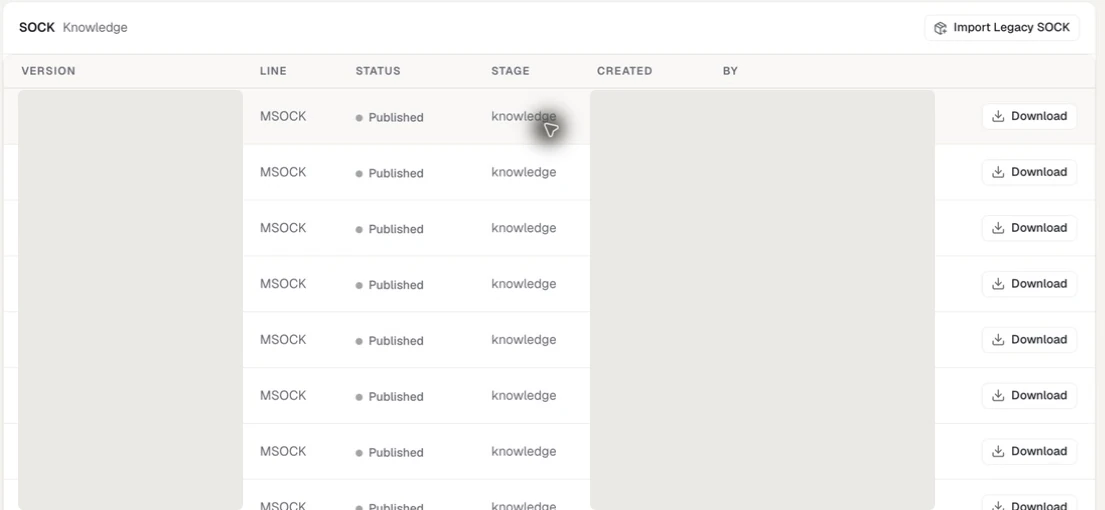
The administrative table makes the distribution line, status, stage, and available action visible. Distribution identifiers, versions, dates, publishers, workspace, enterprise, and member identity are masked or excluded.
Actions
| Action | Purpose | Caution |
|---|---|---|
| Download | Retrieve the selected distribution where the interface offers it | Large SOCK distributions can take time and disk space |
| Restore | Return an eligible earlier or removed distribution to service | Confirm the intended line and version before restoring |
| Purge now | Remove distribution material after a double confirmation | Destructive; review active use and recovery options first |
| Release purge claim | Release the ownership claim around an in-progress purge | Confirm that no operator is still responsible for the operation |
| Republish organ pack | Make the current workspace command pack available again | Members may be prompted to fetch the newer pack |
The exact action set depends on the line, its state, and the caller's administrative scope. Some actions require the MSOCK desktop application and are blocked from the web surface. A disabled action is preferable to guessing that a distribution is safe to alter.
Verify a change
After a publish, restore, purge, or republish action:
1. Reload the Distribution tab. 2. Confirm the intended line, version, state, creation date, and publisher. 3. Check the corresponding member experience: harness availability for SOCK, grounding choices for SOCI, or installed commands for the organ pack. 4. If the states disagree, preserve the distribution identifier and displayed error for support.